Discord Timestamp Generator vs Manual Formatting
There are two ways to make a Discord timestamp. You can use a generator that does the math for you, or you can build the code by hand. Both end up with the same little snippet, but the path to get there feels very different depending on which one you pick.
I have done it both ways more times than I can count. Early on I formatted everything manually because I thought it made me look like I knew what I was doing. Later I switched to a generator and felt a bit foolish for all the time I had wasted. Still, the manual route is not useless, and there are moments when it actually makes sense.
So which one should you use? That is exactly what this article is about. I will lay out how each method works, put them head to head in a comparison table, and give you the pros and cons in plain terms. By the end you will know which approach fits your situation.
Quick heads up before we start. This is not one of those posts where the answer is a wishy-washy "it depends." I do have a clear opinion, and I will share it. But I also want you to understand the trade-offs for yourself, because the right pick changes a little based on whether you are posting in a channel or writing code. Context matters, and I will point out where it tips the scales.
TL;DR
- A generator is faster, safer, and handles timezones and daylight saving for you.
- Manual formatting gives you full control but leaves more room for mistakes.
- For everyday posting, the generator wins for almost everyone.
- Manual still helps inside bots, scripts, or when you already know the Unix number.
How each method works
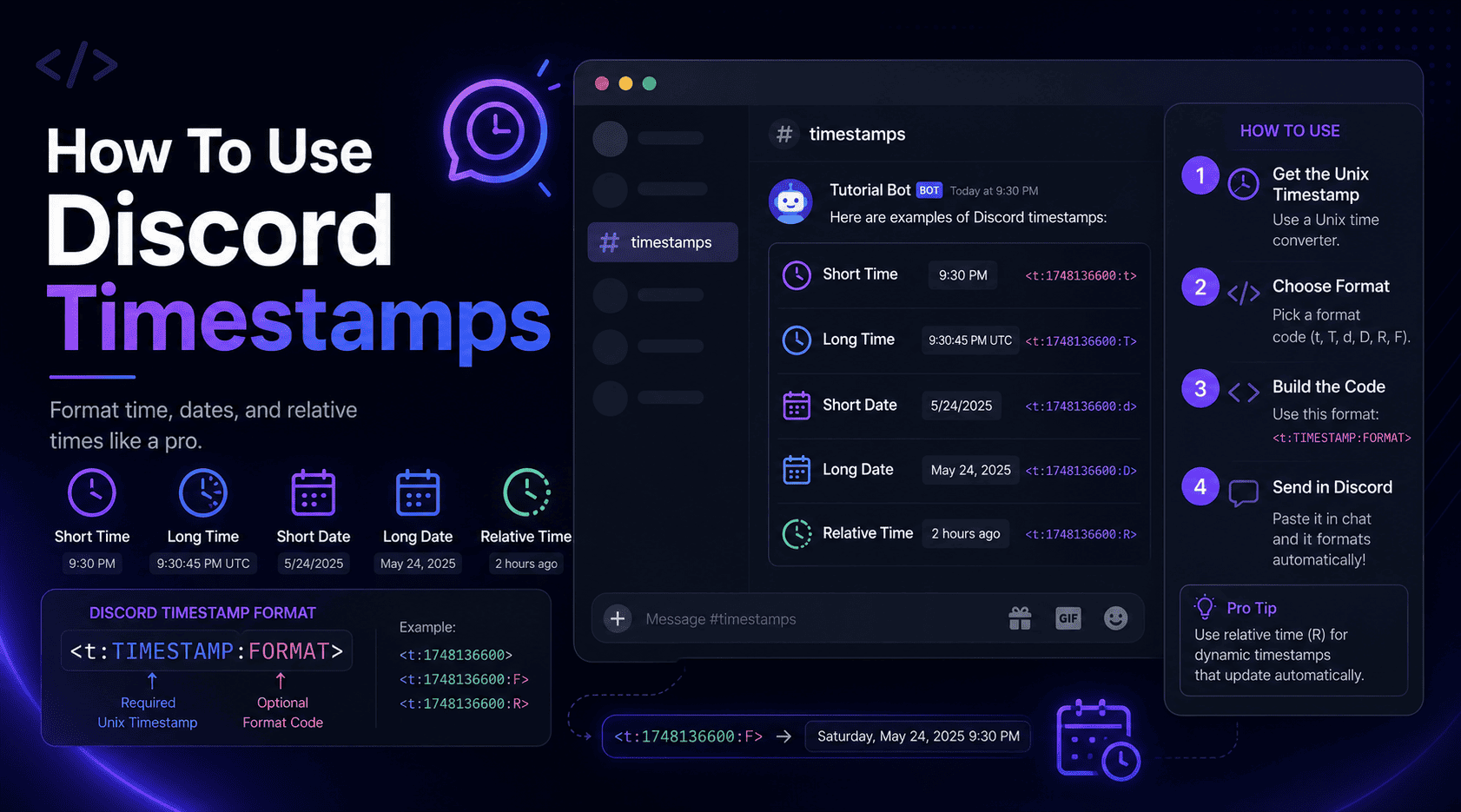
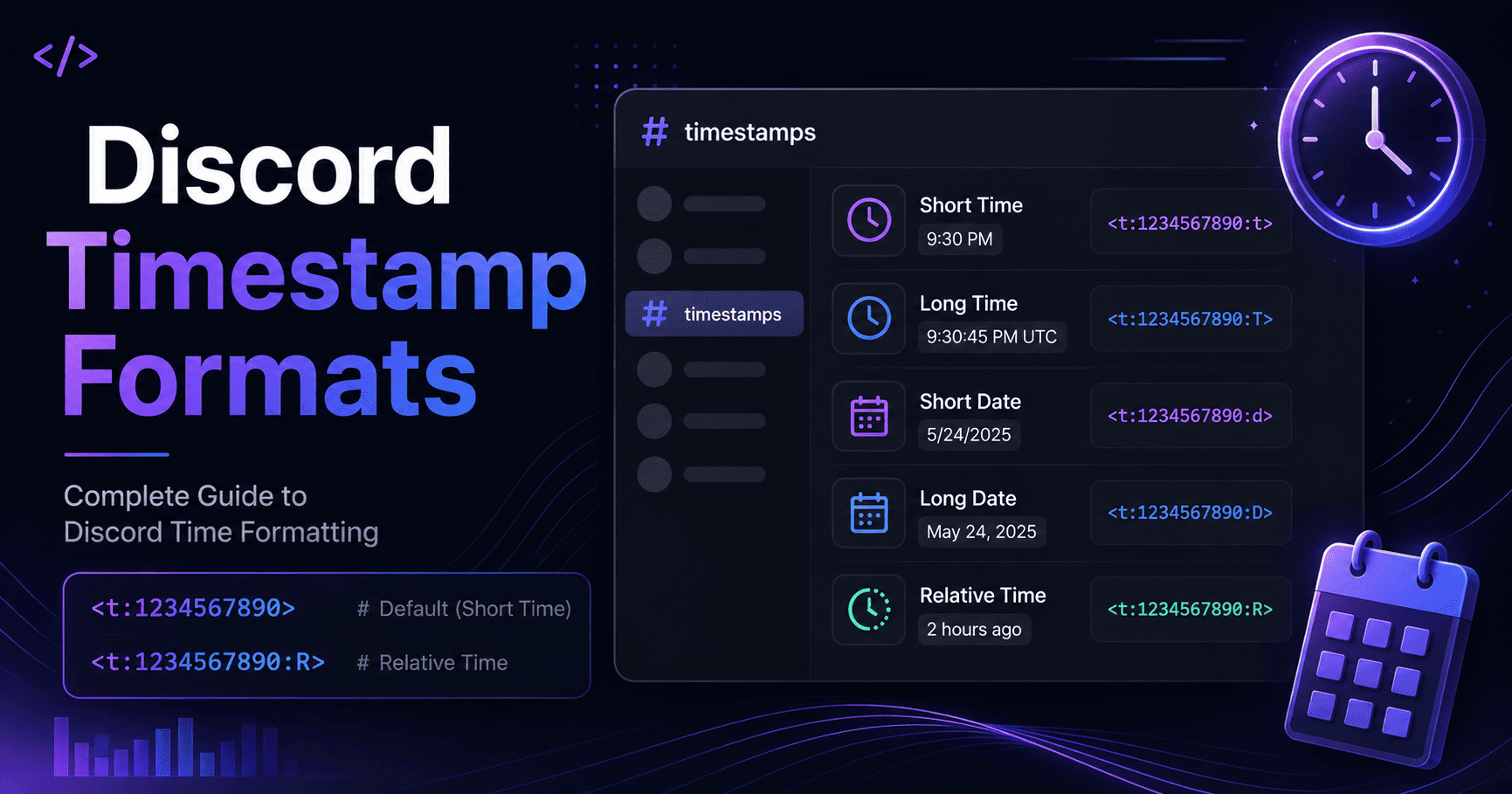
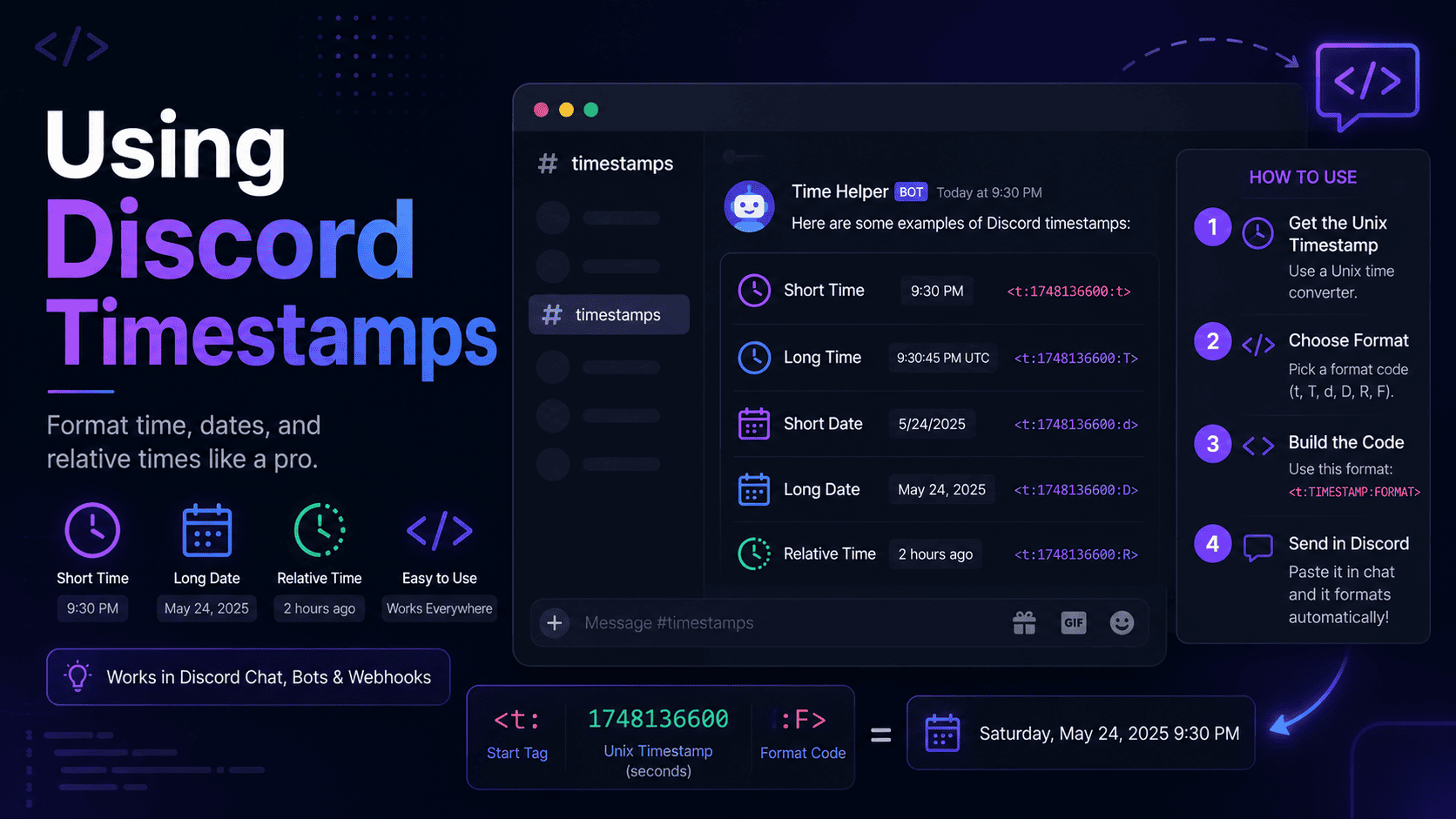
Both methods produce the same kind of code. It always looks like this:
<t:1700000000:F>The number is a Unix timestamp, which is a count of seconds since January 1, 1970. The letter at the end sets the display style. The difference between the two methods is simply how you get that number.
The generator method
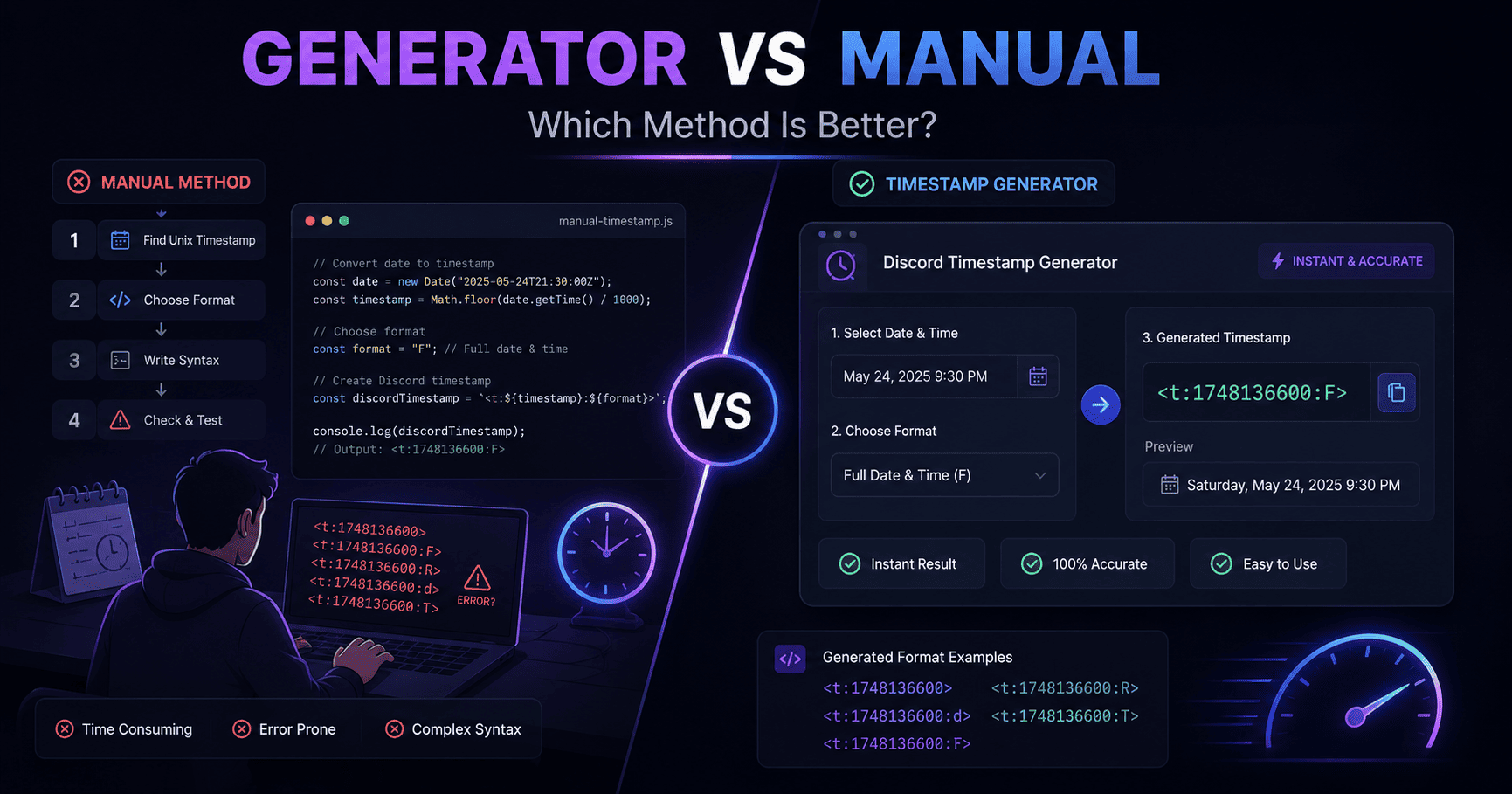
With a generator, you pick a date and a time from simple fields, choose your format, and copy the finished code. The tool figures out the Unix number, applies your timezone, and even handles daylight saving without you lifting a finger. Most generators also show a live preview, so you see the result before you post. The Discord timestamp generator tool on our homepage works exactly this way, and it builds all seven formats at once.
The manual method
Doing it by hand means finding the Unix number yourself. You either use a separate converter or work it out, then you type the code around it, adding the brackets and the style letter. It gives you total control, but every step is a chance to slip up, especially with timezones.
Here is the part people underestimate. The tricky bit is never the typing. It is the conversion. Turning "8 PM my time next Friday" into the right Unix number sounds easy until daylight saving shifts the clock by an hour, or you forget your own zone is not the same as your server's main audience. I have been off by an hour more than once, and each time it was the manual conversion that got me, not the code itself.
Side-by-side comparison
Here is how the two stack up on the things that matter most.
| Factor | Generator | Manual |
|---|---|---|
| Speed | Seconds | Slower, more steps |
| Accuracy | High, math is done for you | Depends on you |
| Timezone handling | Automatic | Manual and error-prone |
| Daylight saving | Handled | Easy to miss |
| Live preview | Usually yes | No |
| Learning value | Low | High |
| Best for | Everyday posting | Bots and scripts |
Pros and cons
Generator
- Pro: fast, with almost no chance of a timezone error.
- Pro: shows a preview so you catch mistakes before posting.
- Pro: beginner friendly, no math required.
- Con: you need a browser tab open to use it.
- Con: you learn less about how the code works underneath.
Manual
- Pro: full control, handy inside bots and scripts.
- Pro: teaches you how timestamps actually work.
- Pro: no tool needed once you know the Unix number.
- Con: slower and easy to get wrong.
- Con: timezones and daylight saving can bite you.
Real-world examples
Let me show you where each one shines with a couple of situations from my own use.
Posting a weekly event
Every week I post a community game night. With a generator, this takes about ten seconds. I pick the date and time, grab the relative format, and paste it. If I did that by hand each week, I would be converting the same kind of time over and over, and sooner or later I would fumble a timezone. The generator is the clear winner here.
<t:1700000000:R>Building a reminder bot
A while back I helped set up a bot that posts event reminders on its own. Inside the code, there was no tool to click. The bot already had the Unix number in hand, so we formatted the timestamp manually by wrapping that number in the syntax. In that case, manual was not just fine, it was the only sensible way.
<t:1700000000:F>A one-off cross-timezone meetup
Last year I organized a single voice call with members spread across five countries. This was a one-time thing, so you might think manual would be fine. It was not. Getting one moment to read correctly for people in wildly different zones is exactly where a hand conversion goes sideways. I used a generator, picked the time in my zone, and let it work out the rest. Everyone joined at the same real moment, and I did not have to answer a single "wait, what time is that for me" question.
Common mistakes
Most of these show up on the manual side, which tells you something. Still, a few can catch anyone.
- Milliseconds instead of seconds. A 13-digit number lands years in the future. Discord wants seconds, usually 10 digits.
- Wrong timezone. Build the Unix number in the wrong zone and everyone sees a shifted time.
- Missing bracket. Drop the closing angle bracket and the code shows as plain text.
- Backticks. Wrapping the code in a code block stops it from rendering.
Best practices
Here is the approach that has served me well, and it lets both methods play to their strengths.
- Use a generator for anything you post live. It is faster and safer for day-to-day use.
- Keep the manual method for code. Inside bots and scripts, formatting by hand is the natural fit.
- Always preview when you can. A quick check beats fixing a wrong time later.
- Learn the syntax once. Even if you use a generator, knowing the format helps you spot errors fast.
Honestly, you do not have to pick a side for life. I use a generator for my posts and the manual method when I am writing code. Best of both worlds, and neither one gets in the way of the other.
The verdict
If you just want clean, correct timestamps for your server, a generator wins hands down. It is quicker, it dodges the timezone traps, and it shows you the result before you commit. For the vast majority of people, that is the smart choice.
Manual formatting still earns its keep, but mostly in narrow cases like bots, scripts, or when you already have the Unix number ready. It also teaches you what is going on under the hood, which is worth doing once even if you never format by hand again.
My take? Learn the syntax so you understand it, then let a generator do the heavy lifting. That mix gives you both knowledge and speed, and it is the setup I would recommend to anyone running a busy community. If you want to try it right now, our Discord time conversion tool is free and needs no account.
Frequently asked questions
Is a Discord timestamp generator more accurate than doing it by hand?
Usually, yes. A good generator reads your timezone and handles daylight saving automatically, which removes the two biggest sources of manual errors.
Do I ever need to format timestamps manually?
Rarely for normal chat. Manual formatting is useful when you already know the Unix number, or when you are building timestamps inside a bot or script where a tool is not handy.
Why does my manual timestamp show the wrong time?
The usual causes are a timezone slip when creating the Unix number, or using milliseconds instead of seconds. A generator sidesteps both by calculating the value for you.
Is a Discord timestamp generator free?
Most are completely free and run in your browser. You pick a date and time, choose a format, and copy the code with no account needed.