Discord Timestamp Examples: Copy-Paste Codes for Real Situations
A few years back I helped run a small gaming community. We had members in California, the UK, India, and Australia, which sounds fun until you try to plan anything. I still remember posting "tournament kicks off at 7," feeling proud of myself, then watching the questions roll in. Seven your time? Seven my time? AM or PM? The whole thing turned into a mess before it even started.
That night I went looking for a fix, and I stumbled onto Discord timestamps. Honestly, I felt a little silly for not knowing about them sooner. They solved the exact problem I had been fighting for months, and they did it with one short line of text.
If you have ever felt that same headache, this guide is for you. I am going to walk you through what Discord timestamps are, how to make one, and how to pick the right style for the job. No fluff, just the stuff I wish someone had told me on day one.
You do not need to be techy to follow along. If you can copy and paste, you can do this. Let us get into it.
TL;DR
- Discord timestamps use the format
<t:UNIX:STYLE>. - The
UNIXpart is a number of seconds, andSTYLEis one letter that sets the look. - They show the correct local time for every single person who reads the message.
- The relative style updates on its own, so it is great for countdowns.
- The quickest way to make one is the Discord timestamp generator.
What are Discord timestamps?
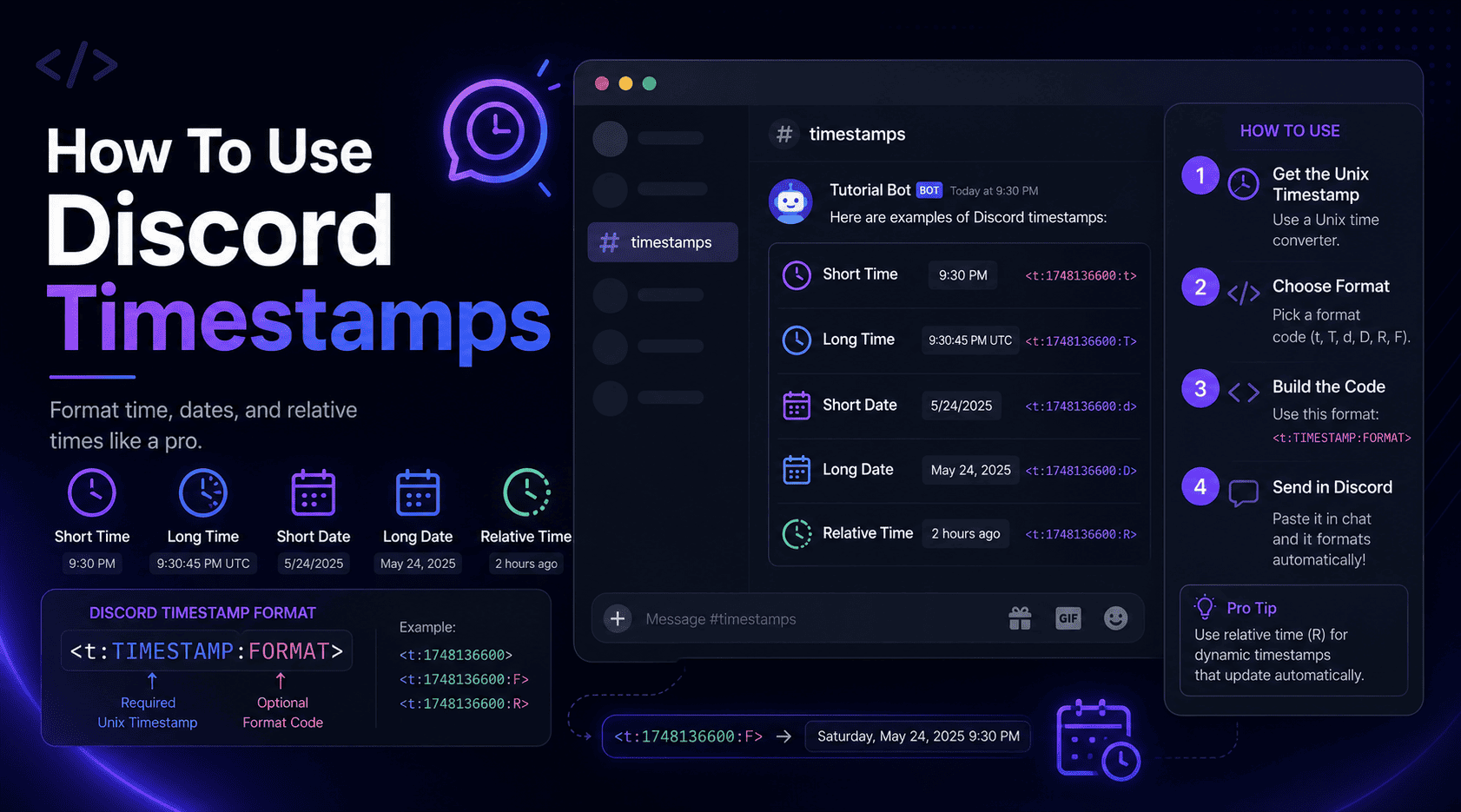
A Discord timestamp is a small snippet of code you drop into a message. When you hit send, Discord swaps that code for a clean, readable date or time. The neat trick is that it reads each viewer's device settings, so everyone sees the same moment in their own timezone.
Behind the scenes, every timestamp is built on something called a Unix timestamp. That is just a plain count of seconds since a fixed starting point, midnight on January 1, 1970. Computers love it because it is one simple number with no timezone baggage attached. Discord takes that number and dresses it up however you ask.
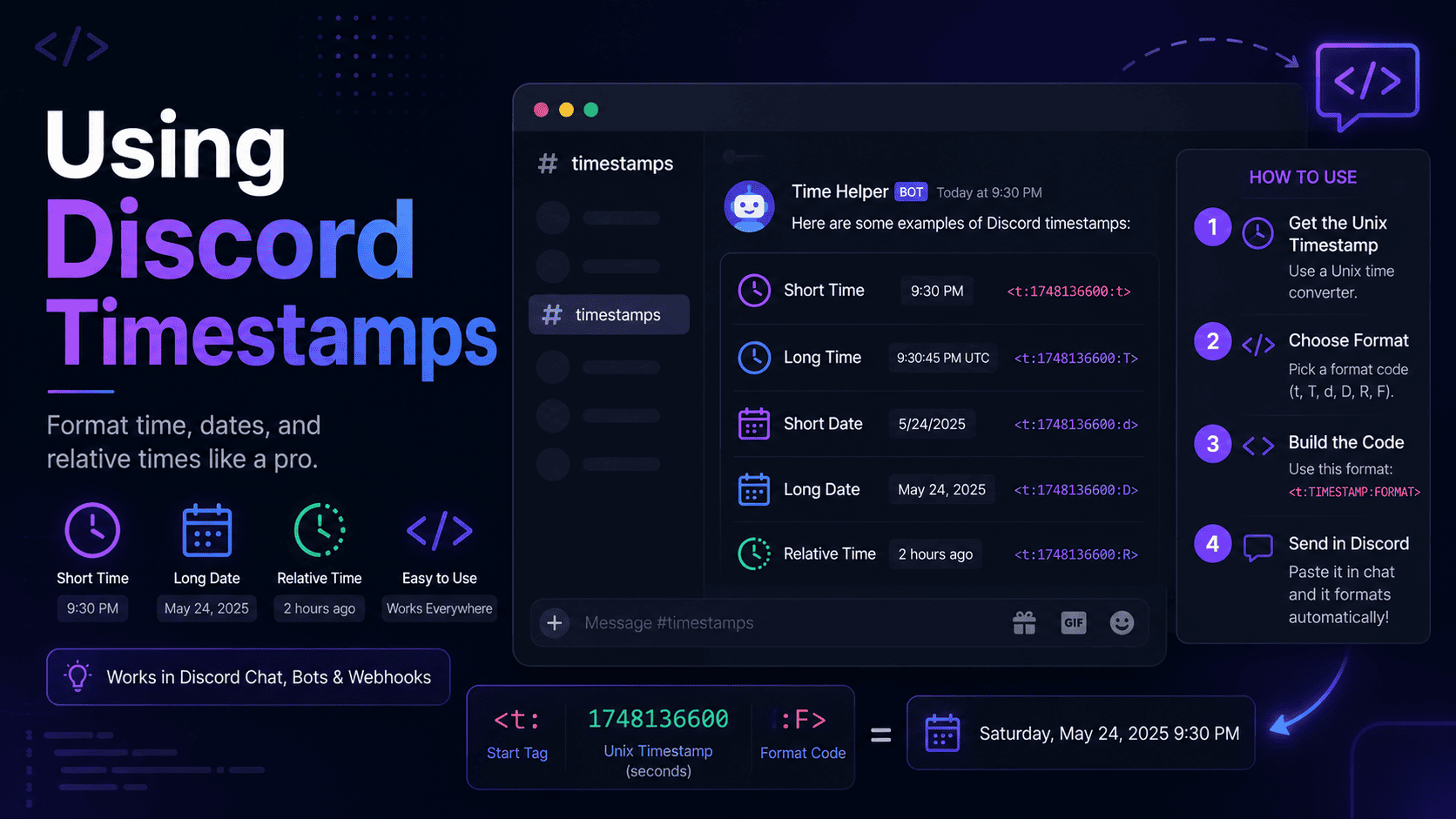
Here is the basic shape you will be working with:
<t:1700000000:F>
That number in the middle is the moment in time. The letter after it, in this case F, decides
whether you see a full date, a short time, a countdown, and so on. We will break down each letter in a
minute.
Why bother using them?
Fair question. You could just write "8 PM EST" and call it a day. But once you have used timestamps, going back feels like driving with the handbrake on. Here is what makes them worth it.
- No timezone math. Nobody has to figure out what your time is in their time.
- Fewer mix-ups. That means fewer people showing up an hour early or missing events completely.
- Live countdowns. The relative style keeps ticking without you touching the message.
- It looks clean. A tidy date beats a wall of "5 PM PST / 8 PM EST / 1 AM GMT" every time.
In my experience, the biggest win is trust. When people know your event times are always right, they stop second guessing and just show up. That peace of mind is worth its weight in gold when you are trying to grow a community.
Pro tip
If you post events often, keep the generator open in a browser tab. Making a timestamp becomes a piece of cake when the tool is one click away.
How to make a timestamp
There are two ways to do this. One is quick and painless. The other teaches you what is going on under the hood. I will show you both.
Option 1: Use a generator
This is the route I take almost every time. Head to the Discord Timestamp Generator and do this:
- Pick your date.
- Set the time.
- Choose your timezone if it is not already correct.
- Hit generate and copy the code you want.
The tool reads your local timezone, handles daylight saving for you, and shows a live preview so you know exactly what people will see. Paste the code into Discord and you are done.
Option 2: Do it by hand
If you like to know how the sausage is made, you can build one yourself. First you need to turn your date and time into a Unix number. A quick search for "unix time converter" gets you that number. Then slot it into the format like this:
<t:YOUR_NUMBER:R>It works fine, but I will be honest, it is fiddly. Timezones and daylight saving make it easy to be off by an hour without noticing. For a one-off it is okay. For anything you do regularly, the generator saves you the grief.
The timestamp styles compared
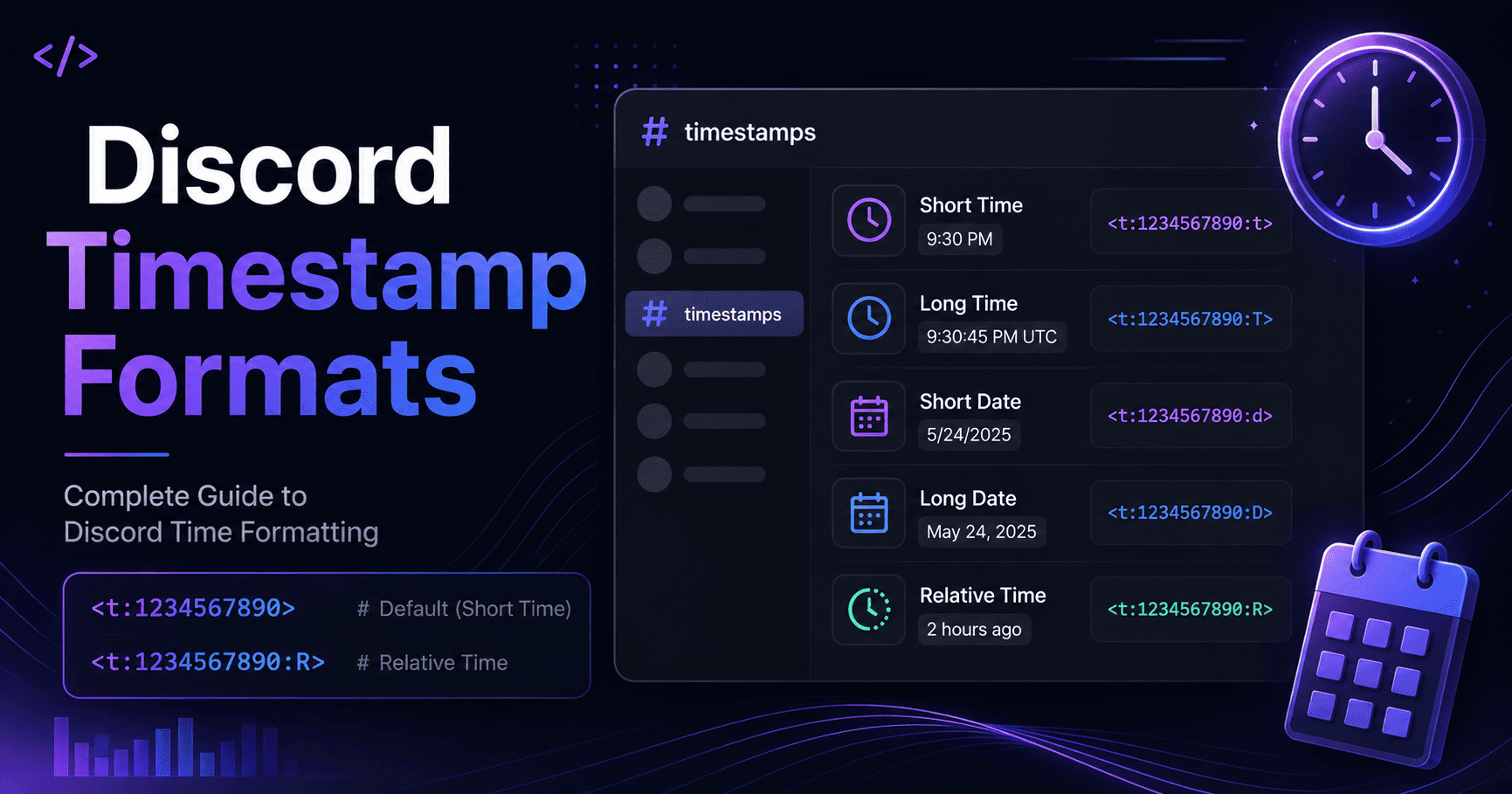
Discord gives you seven styles. They all use the same Unix number, they just show it differently. The table below lines them up so you can see which one fits your message.
| Style letter | Name | Looks like | Best for |
|---|---|---|---|
t | Short Time | 10:13 PM | Quick "starts at" notes |
T | Long Time | 10:13:20 PM | When seconds matter |
d | Short Date | 11/14/2023 | Deadlines and dates |
D | Long Date | November 14, 2023 | Clear, formal dates |
f | Short Date/Time | November 14, 2023 10:13 PM | Most everyday posts |
F | Long Date/Time | Tuesday, November 14, 2023 10:13 PM | Big announcements |
R | Relative | 2 years ago | Countdowns and hype |
My personal favorite is the relative style. It is the one that reads "in 3 hours" or "2 days ago," and it updates all by itself. Drop it into a giveaway or a stream reminder and members can glance at it to see how long is left. One letter, a whole lot of value.
Real examples you can copy
Let me show you these in action. Each block below uses the same Unix number, 1700000000, so you
can see how the style letter changes everything.
A countdown for an event
<t:1700000000:R>This shows something like "in 5 hours" and keeps counting down. I use this one for tournaments and movie nights. People love watching the clock tick toward zero.
A full, formal announcement
<t:1700000000:F>This spells out the weekday, the full date, and the time, like "Tuesday, November 14, 2023 10:13 PM." When you want zero doubt about when something happens, this is the one to reach for.
A simple time for a quick message
<t:1700000000:t>This just shows "10:13 PM." It is clean and short, perfect for a casual "raid starts at" line where everyone already knows the day.
Best practice
Try pairing two styles in one message. Post the full date and time, then add the relative countdown in brackets right after it. Readers get the exact moment and the "how soon" in a single glance.
Mistakes to watch out for
I have tripped over most of these myself, so save yourself the trouble and learn from my bruises.
- Using milliseconds. Discord wants seconds. If your number has 13 digits, chop off the last three, or you will land years in the future.
- Getting the timezone wrong. Enter your time in the correct zone. This is the number one cause of "that showed the wrong time" complaints.
- Forgetting a bracket. Leave off the closing
>and Discord just shows the raw code instead of a nice date. - Wrapping it in backticks. Put a code block around it and Discord treats it as plain text. It will not render.
None of these are hard to avoid once you know them. My rule is simple. I always check the live preview before I post anything important. Two seconds of checking beats a flood of confused replies later.
Wrapping up
Discord timestamps fix a real, everyday annoyance with almost no effort. Once you get the hang of the
<t:UNIX:STYLE> format and the seven styles, you can drop a crystal clear time into any
message and trust that everyone reads it right. That is a small skill with a big payoff.
If you take one thing from this guide, let it be this. Stop typing out timezones by hand. Let the timestamp do the talking. Your members will thank you, and you will wonder how you ever managed without it.
Ready to give it a shot? Open the Discord timestamp generator, pick a date, and grab your first timestamp. It takes about ten seconds.
Frequently asked questions
Do I need a bot to use Discord timestamps?
Nope. Timestamps are built right into Discord. You paste a short code into a message and Discord does the rest. No bots, no plugins, no special permissions.
Why does my timestamp show a different time to my friend?
That is the feature doing its job. A timestamp converts to each person's local timezone, so you and your friend see the same moment shown in your own clocks.
Can I edit a timestamp after I post it?
Yes. Edit the message like normal. Change the Unix number to point to a new moment, or swap the style letter to change the look. Discord updates the display straight away.
What if I use the wrong number of digits?
Discord expects seconds, which is usually a 10 digit number. If you paste a 13 digit millisecond value, the date jumps way into the future. Just remove the last three digits and you are back on track.